What you get
Print-ready nutrition facts labels, not a screenshot to retype
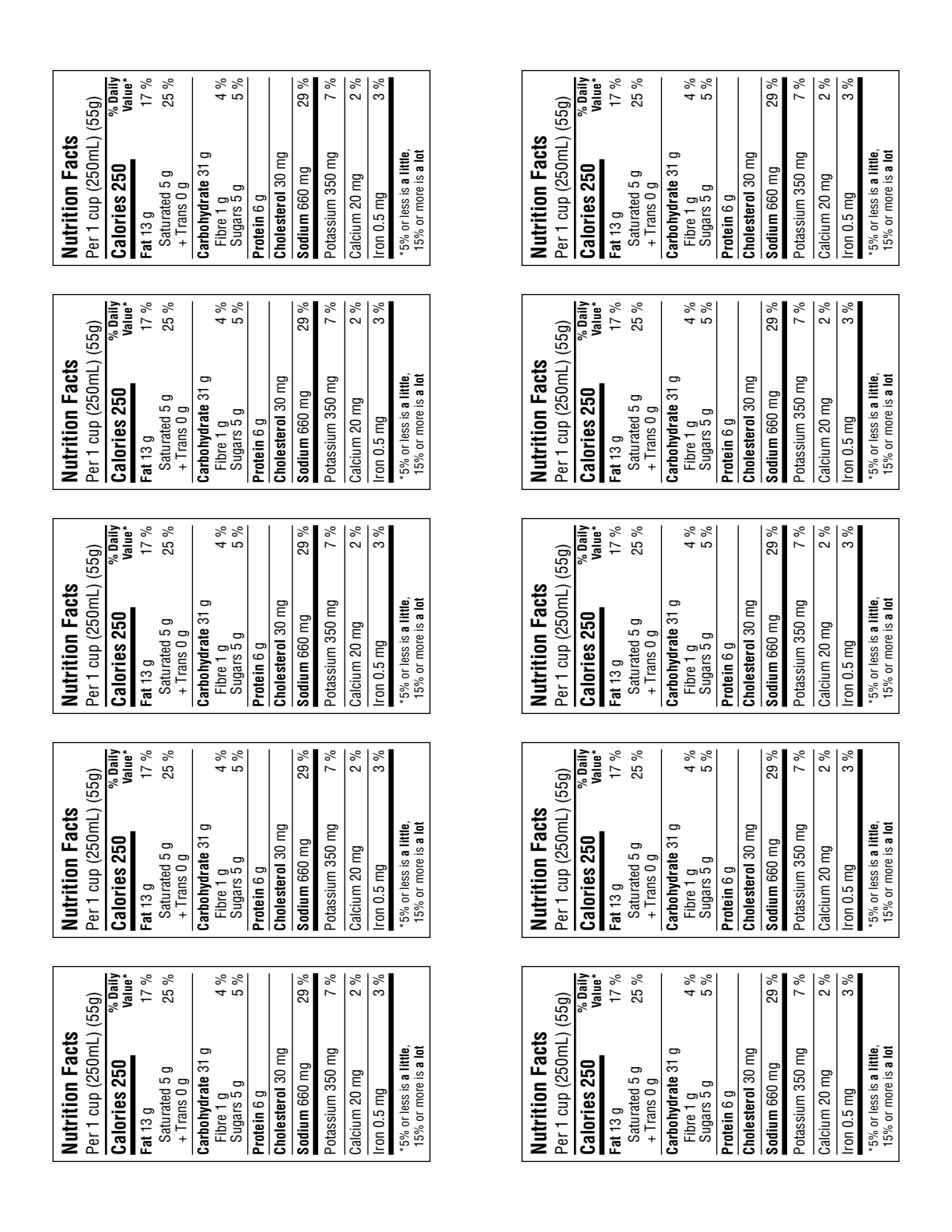
Export a clean PDF or PNG, or tile a full Avery 5163 sticker sheet for product packaging.
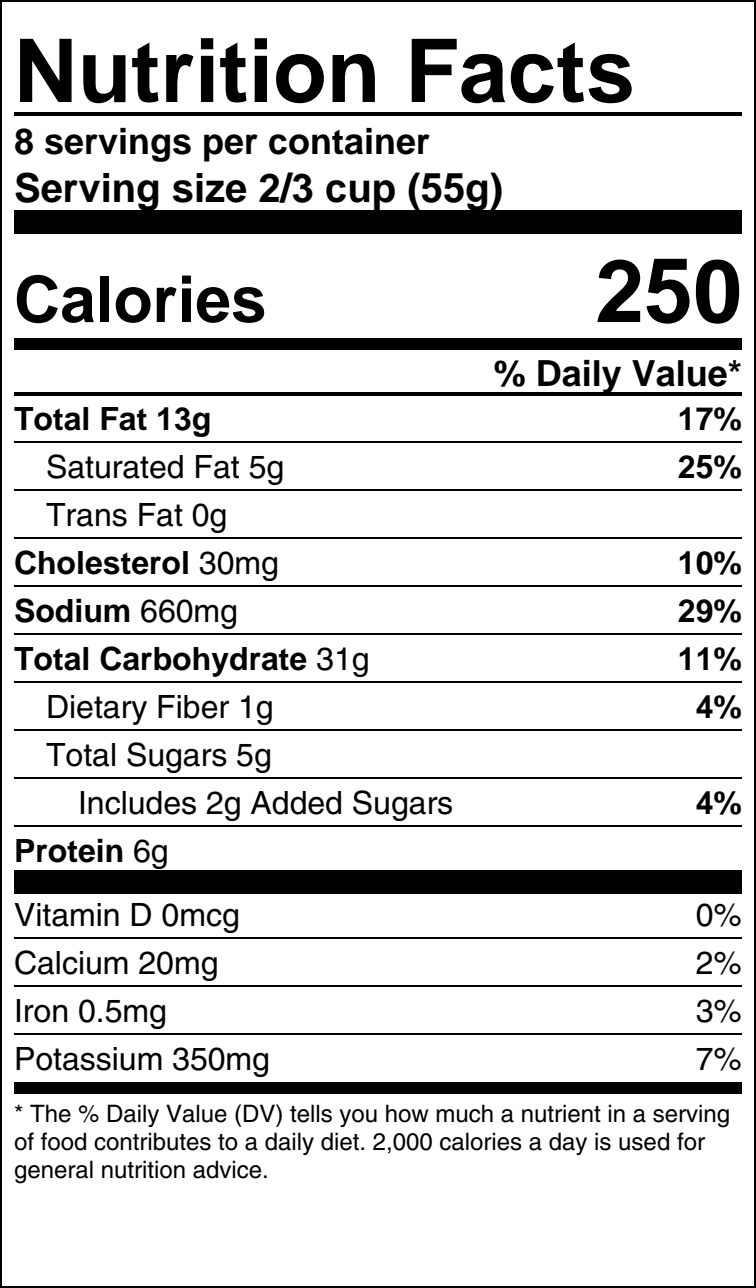
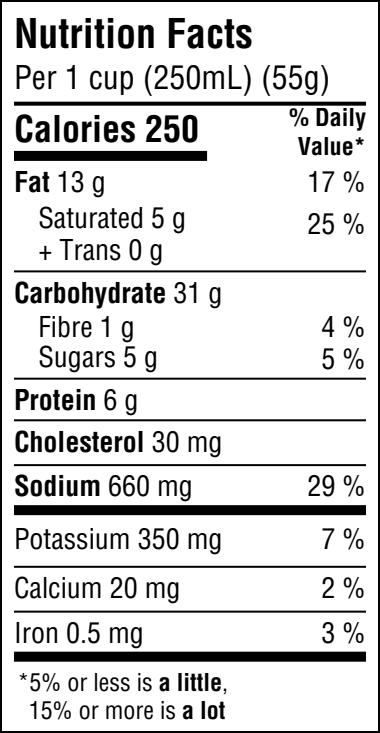
Paste a recipe or ingredient list and get a print-ready Nutrition Facts label in minutes. Nutrifax matches every ingredient to official Canadian (CNF) and USDA food data, sums the nutrients per serving, and exports a label in the US FDA or Canada (CFIA) format.
No credit card · No software to install · 13,900+ foods
Nutrition Facts
Per serving (8 servings per recipe)
% Daily Value*
* Percent Daily Values are based on a 2,000 calorie diet.
Build the recipe once. The label itself follows whichever regulator applies to your package — the rules for rounding, serving size and Daily Values are not the same in both countries.
An FDA Nutrition Facts panel in the 2016 format, rounded per 21 CFR 101.9.
A CFIA Nutrition Facts table in English, French, or bilingual, rounded per B.01.402.
Export a clean PDF or PNG, or tile a full Avery 5163 sticker sheet for product packaging.
A free nutrition label generator from recipe text, a photo, or ingredients you pick yourself.
Paste recipe text, snap a photo, or search ingredients from 13,900+ foods. The generator matches each one to official Canadian and USDA data.
Enter the number of servings or the yield. Per-serving calories, macros, vitamins, and minerals update live as you adjust.
Pick FDA or Canada format and export a print-ready label as PDF or PNG, or tile it onto an Avery sheet.
Yes. You can build a recipe and generate a standard FDA or Canada Nutrition Facts label for free, with print, PDF, and PNG export included.
It generates labels in the US FDA (2016) Nutrition Facts format and the Canadian (CFIA) Nutrition Facts table format, applying the rounding rules each regulator requires. Confirm the final label against current regulations for your product and jurisdiction.
Yes. Add ingredients one at a time from a database of over 13,900 foods, paste recipe text, or upload a photo. All three build the same nutrition facts label with ingredients matched to official food data and summed per serving.
Health Canada's Canadian Nutrient File (CNF) and the USDA's FoodData Central — the same datasets regulators reference. Every value on the label traces back to a source food.
Yes. The same tool goes by several names — nutrition label generator, nutrition facts label generator, nutrition facts label maker. They all describe software that turns a recipe into a Nutrition Facts panel. What actually differs between tools is the food data underneath and whether the export is print-ready.
Yes. Nutrifax works as a free nutrition label maker: build the recipe, generate a standard label, and export print, PDF or PNG at no cost. There is no trial period and no card required to make your first label.
Turn your recipe into a print-ready FDA or Canada Nutrition Facts label — free, no software to install.